Overview
EchoTrade Telegram Signal Backtester is a two-part product built for retail traders who follow paid or free "signal" channels on Telegram and want proof of a provider's actual track record before risking money. Signal sellers routinely publish curated wins and hide losses; this tool lets a trader pull a channel's entire message history, run it through a configurable parser that extracts every buy/sell/modify/close instruction, and replay those signals against real historical price data inside MetaTrader 4's Strategy Tester — producing an objective win rate, drawdown, and profit factor instead of a marketing claim.
The system is split into a Data Generator (the PyQt5 desktop app in this repository) and an MT4 Expert Advisor (EchoTrade Telegram Signal Backtester.mq4) that consumes the Data Generator's output. The desktop app owns Telegram authentication, message retrieval, and signal parsing; the EA owns trade simulation, money management, and reporting inside MT4's own tick-accurate backtesting engine. The two communicate only through a CSV file dropped into MT4's shared "Common\Files" directory, which keeps the Python and MQL4 halves fully decoupled.
Architecture
- Desktop app (
main.py,gui/) — PyQt5 application with a stacked-widget flow: a loading screen that silently re-validates any existing Telegram session, an authentication screen, then a two-tab main window (Configuration, Historical Analysis). - Telegram client layer (Telethon) — authenticates via phone/code/2FA, persists a
SQLiteSession(user.session), and re-hydrates it into an in-memoryMemorySessionfor background workers so multipleQThreads can talk to Telegram concurrently without fighting over the SQLite file lock. - Signal parsing engine (
parser.py,signal_processor.py) — a regex/keyword pattern matcher that turns free-form message text into structured entry, exit, and modify-order signals. - Configuration layer (
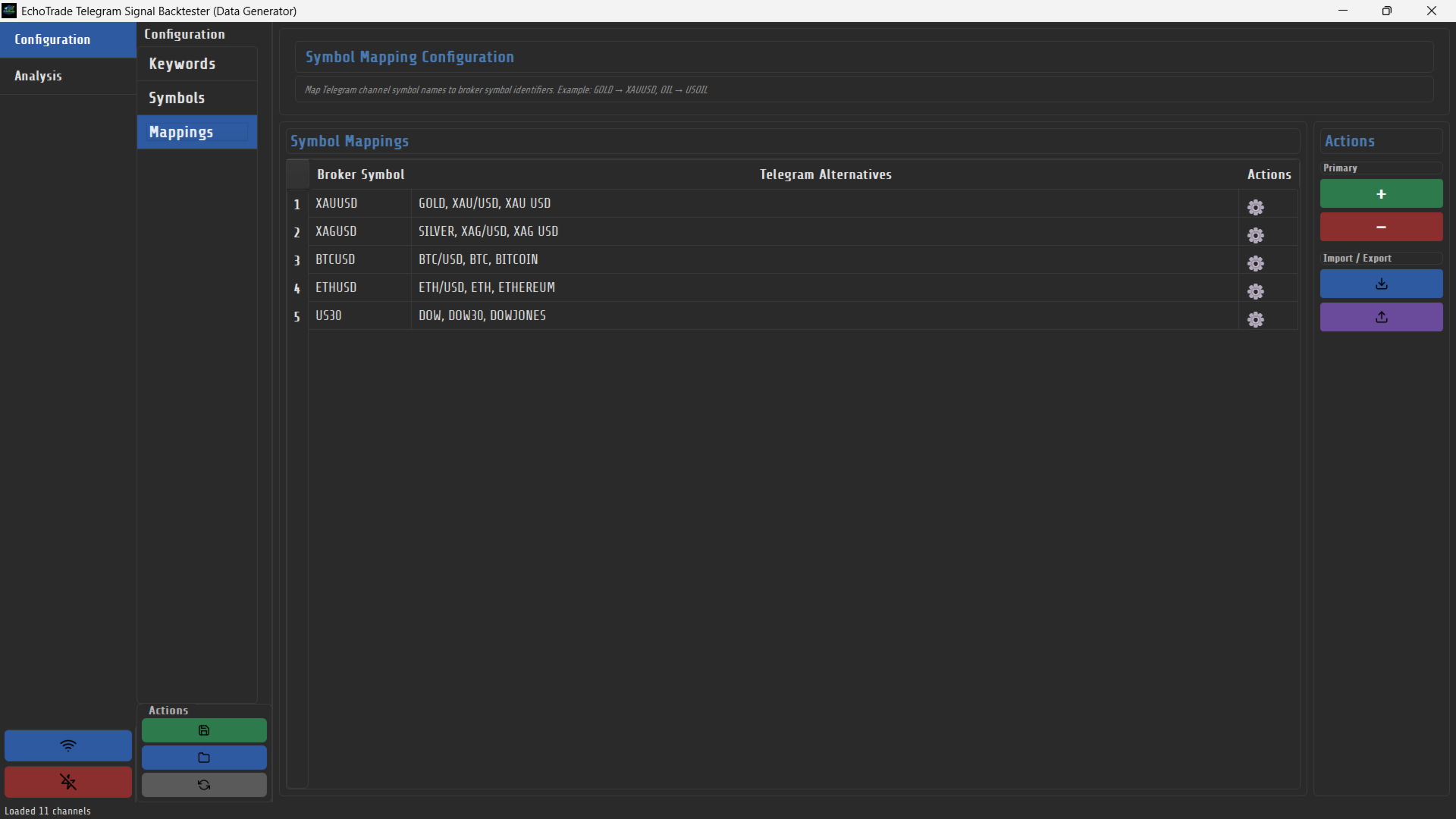
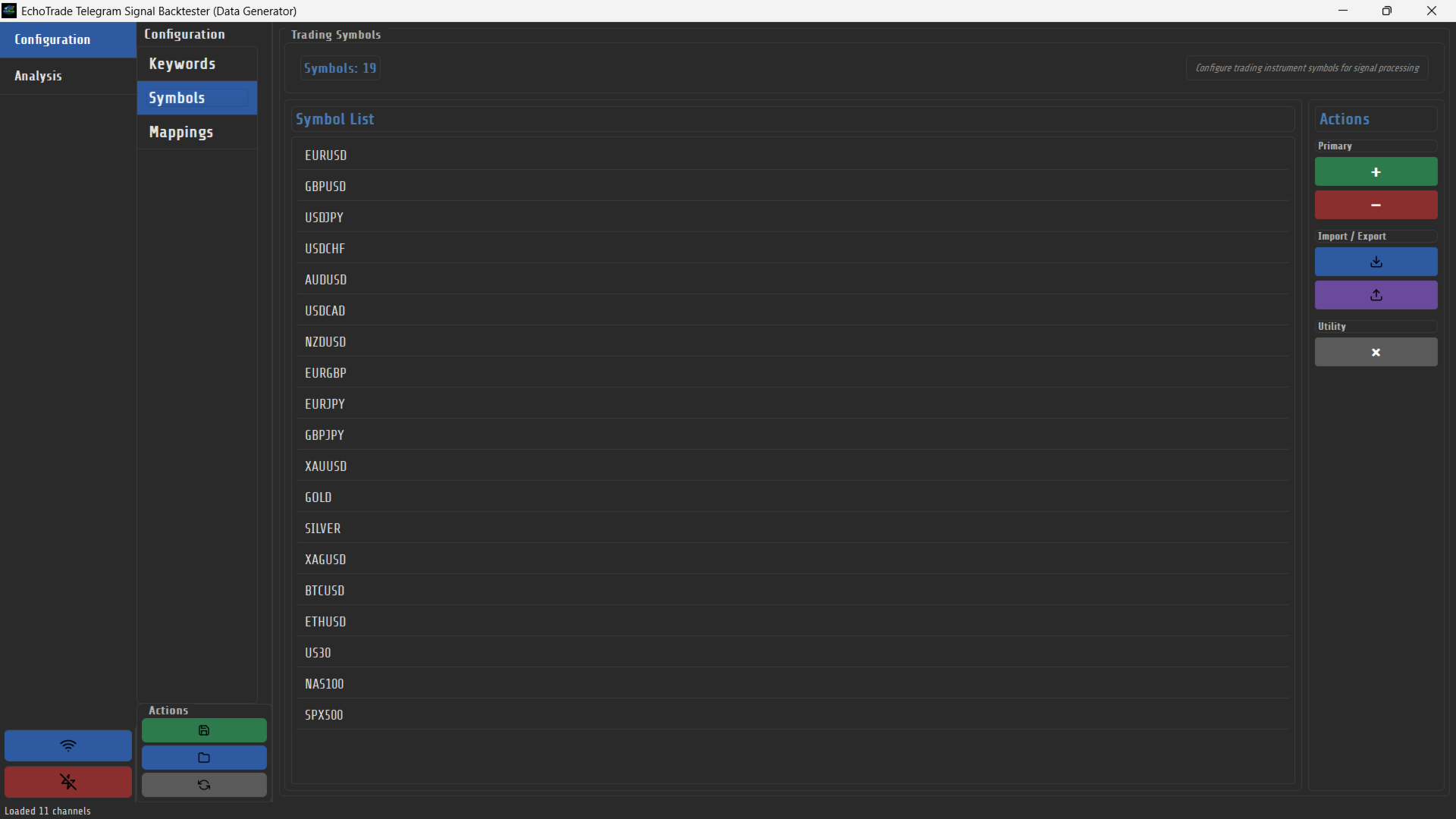
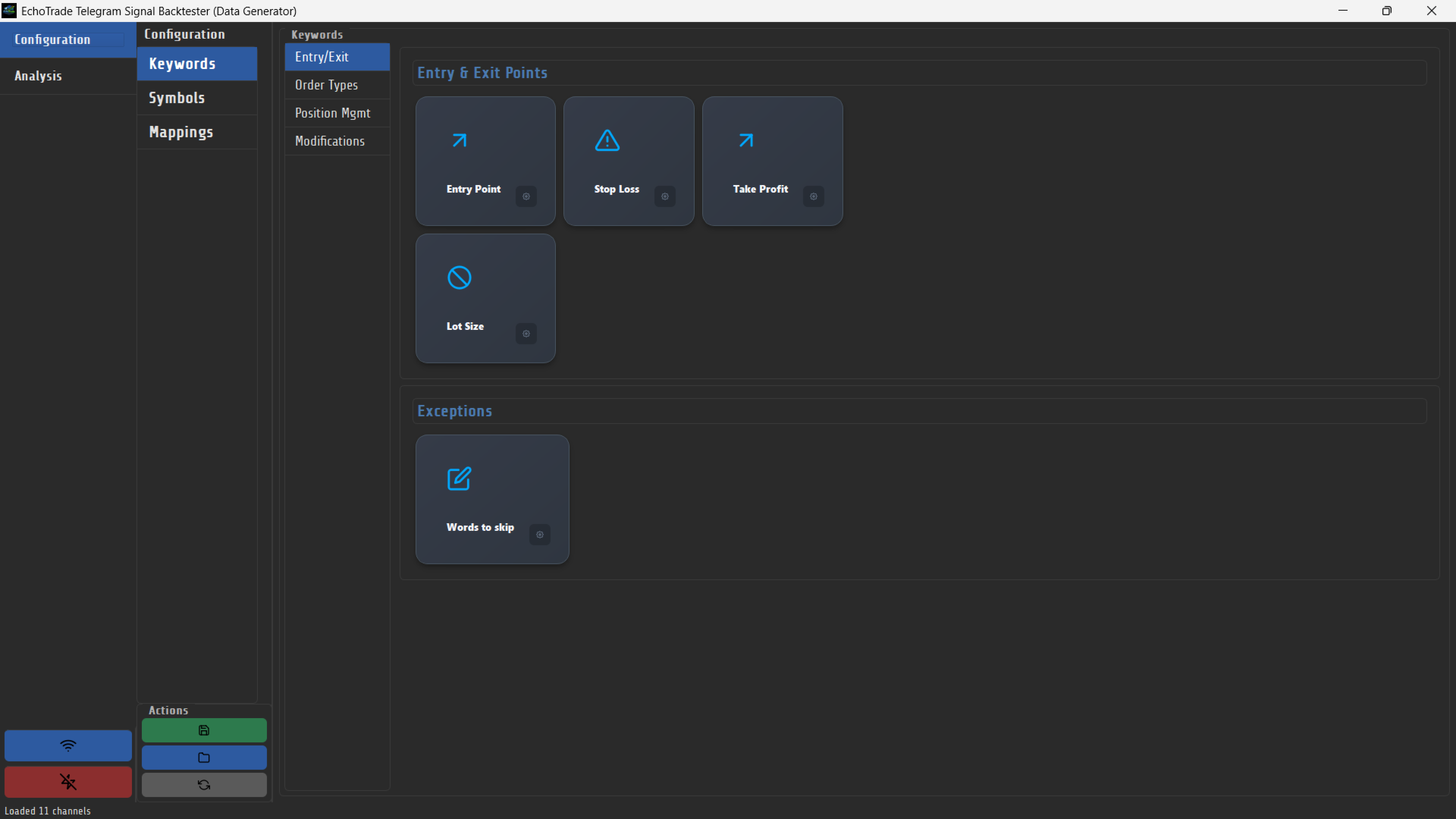
gui/configuration_widget.py,config/current_config.json) — a single editable JSON config of ~25 keyword categories (entry, SL/TP, buy/sell/limit/stop variants, breakeven, partial close, etc.) plus a symbol list with alternate-name mappings (e.g.XAUUSD↔GOLD). - Backtest worker (
gui/backtest_mode_widget.py) — aQThreadthat fetches a channel's full message history for a date range, resolves reply-to context, parses every message, and writes an MT4-readysignals.csv. - MT4 Expert Advisor (
EchoTrade Telegram Signal Backtester.mq4) — a ~5,000-line EA with its ownTradeManagerclass, money-management rules, and CSV-driven trade simulation, run inside MT4's Strategy Tester against real historical price data.
Implementation
Authentication and channel access run entirely through Telethon. AuthWidget's TelegramLoginWorker (a QThread) drives the phone → code → 2FA-password state machine and emits Qt signals back to the UI thread; on success it hands a live TelegramClient up to MainWindow. To avoid MT4-style single-writer lock issues, every background operation (session verification, channel listing, backtest fetch) loads the on-disk SQLiteSession, copies its DC info and auth key into a MemorySession, and immediately closes the file handle — so the GUI thread's session file is never held open by a worker thread. CentralizedChannelLoader fetches the user's full dialog list once via client.iter_dialogs() and fans the channel list out to whichever widgets need it, rather than each tab re-fetching independently.
The parser (parser.py::check_signal_patterns) strips Markdown formatting, then for each configured keyword category compiles a regex per keyword (with [X] used as a placeholder for "any digits," e.g. matching TP1, TP2, TP3 from a single tp[X] pattern), sorts candidate patterns longest-first so more specific phrases win, and — for numeric fields like entry/SL/TP/lot size — searches the text immediately following the matched keyword for a price or pip value. check_symbol_patterns separately resolves the instrument, supporting alternate names (GOLD → XAUUSD) and stripping slashes from pairs like EUR/USD. get_signal() composes these into one of four signal shapes — ENTRY (new trade with SL/TP/lot size), EXIT (close/cancel), MODIFY (breakeven, partial close, SL/TP updates), or IGNORE (messages matching exception keywords like "report" or "summary", used to skip recap posts) — and SignalProcessor.format_signal_for_csv() flattens that into a fixed-column row (pipe-separating multi-value fields like multiple take-profits) that pandas writes to signals.csv.
Signal Extraction And Backtest Handoff
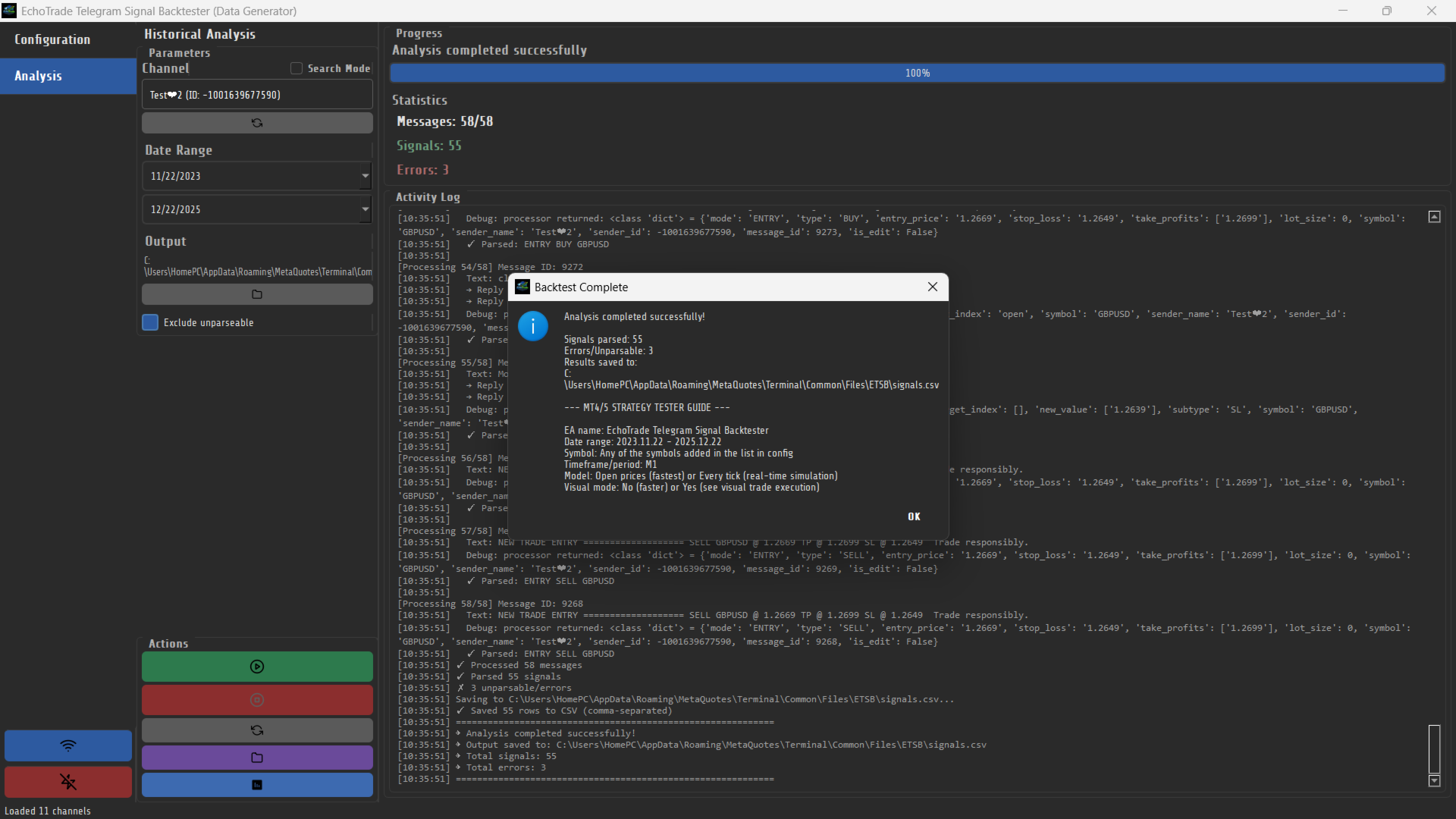
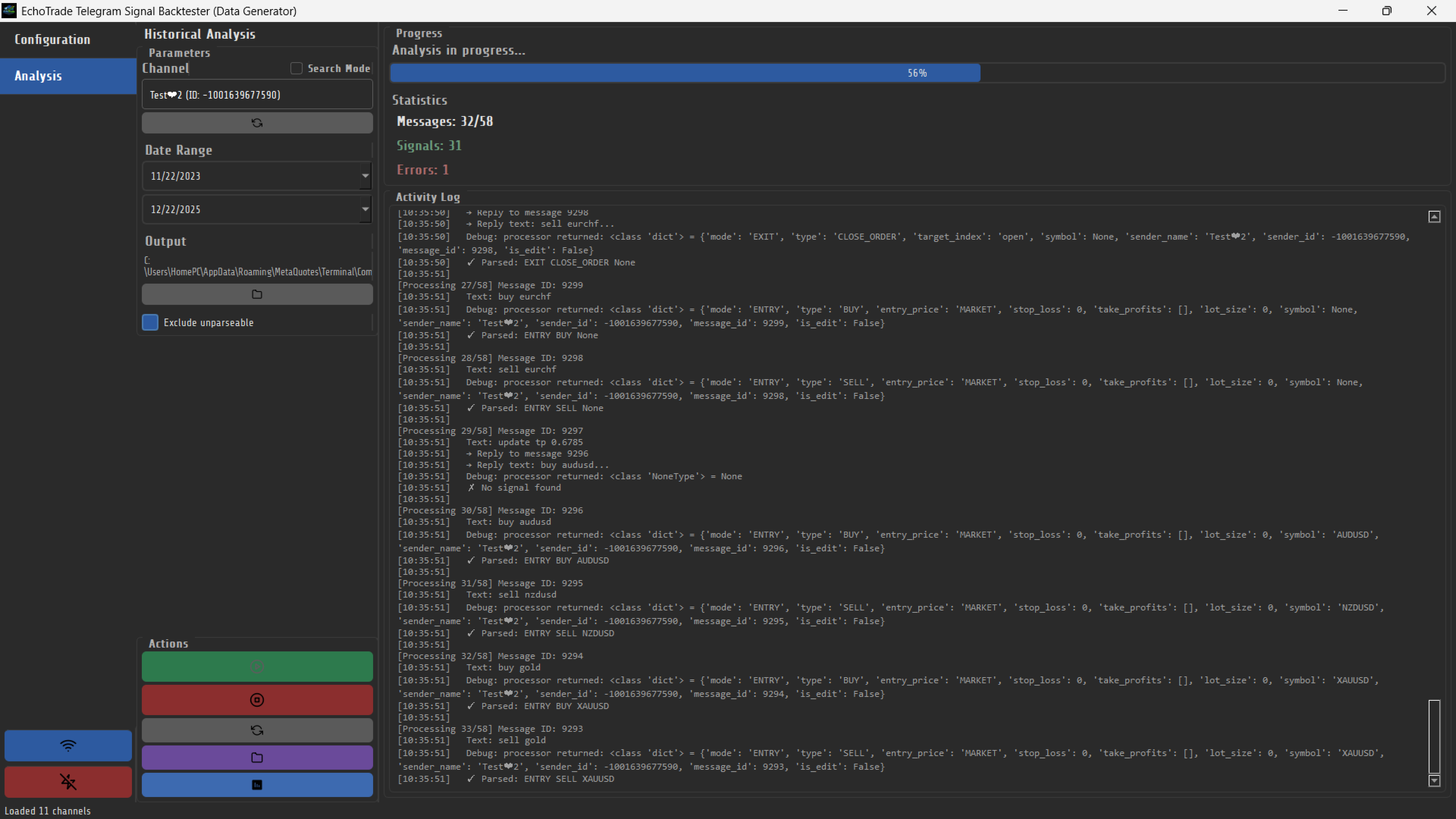
The backtest worker fetches a channel's message history with client.iter_messages() bounded by a UTC date range, batch-resolves any reply-to messages (many providers post the symbol in one message and the entry details as a reply), and feeds each message through the same SignalProcessor used by the interactive Test Mode tab — so a signal that parses correctly in the single-message tester is guaranteed to parse the same way during a full historical run. Every message is classified as a parsed signal, an intentionally skipped exception message, or an unparsable/error row (both of the latter are optionally retained in the CSV for audit purposes via a "skip unparsable" toggle), and the whole run streams progress (messages processed, signals found, errors) back to the UI over Qt signals. The output path is fixed to MT4's Common\Files\ETSB\signals.csv — the same directory the EA reads from via FileOpen(..., FILE_COMMON) — so a trader never has to manually copy files between the Python app and the MT4 terminal.
MT4 Strategy Tester Integration
The MQL4 side is a full trading EA, not a thin CSV replayer: it exposes dozens of input parameters covering lot sizing (fixed, risk-percent, or per-symbol overrides via strings like XAUUSD=0.03, EURJPY=0.03), SL/TP source (signal-provided vs. custom pip values), order execution (forced market execution, retry count/backoff, pending-order expiration), and full trade management — breakeven activation with configurable trigger distance, a dynamic trailing stop with separate start/step/distance parameters, and partial-close-by-percentage triggered by the parser's CLOSE_PARTIAL/CLOSE_HALF signal types. A TradeManager class wraps order placement, modification, and closure with configurable retry/backoff and a full MT4 error-code-to-message lookup table. Money management is enforced independently of individual signals via daily/weekly/monthly loss limits (percentage or absolute) with a configurable action when breached, plus a max-trades-per-day cap and an optional time-of-day trading window. On completion the EA writes a semicolon-delimited results.csv (Total PnL, Win Rate %, Profit Factor, Total Trades, Max Drawdown %, Avg Risk:Reward, Avg Duration) which the desktop app reads back with pandas to render a results summary dialog directly in the GUI — closing the loop so a trader doesn't have to leave the Data Generator to see the outcome of a backtest.
Reliability
The repository includes a tests/ suite exercising the signal processor against a fixed default keyword/symbol configuration, plus targeted tests for the event handler, MT4 config reader, keyword config manager, and message-link resolution. Configuration is a single JSON file with save/load/reset-to-default operations, keeping parser behavior reproducible and versionable rather than hard-coded. Session handling defensively deletes and re-prompts for a corrupt or expired user.session file rather than leaving the app in a stuck state, and a background SessionVerificationWorker re-checks Telegram authorization on every launch with a hard timeout so a dropped connection can't hang the UI. The project ships a PyInstaller build path (bundled fonts, icons, and resource_path() handling for frozen vs. dev execution) producing a standalone Windows executable for the Data Generator half of the product.